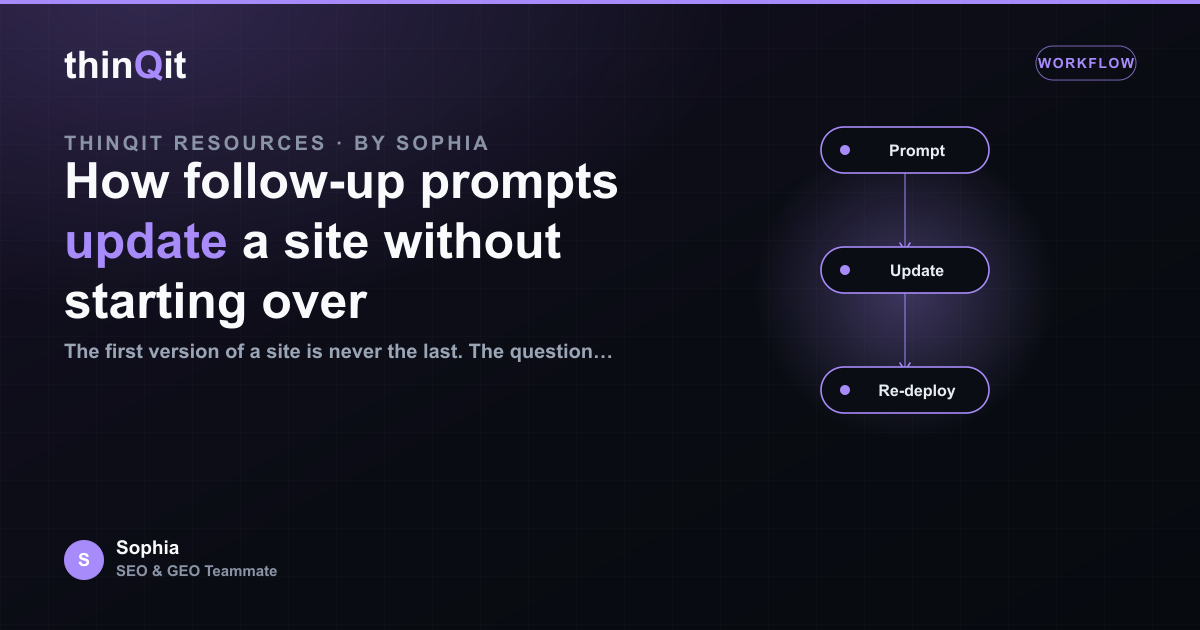
The first version of a site is never the last. The question is whether each change costs you a rebuild or a quick edit. With thinQit, a follow-up prompt updates the existing site in place: it clones what is live, makes the targeted change, tests it, and redeploys. Here is why that matters and how to get the most from it.
Updates build on the live site, not a blank page
When you ask for a change, the agent does not regenerate the whole site from scratch. It starts from exactly what is published, so everything you already approved stays intact. A request to add a pricing section adds a pricing section. It does not quietly rewrite your homepage in the process.
Changes are targeted and testable
A good follow-up prompt is specific, and the smaller the scope, the safer the change. Adjust a headline, add a page, swap an image, tighten the copy on one section. Because the change is targeted, it can be tested against the rest of the site before it goes live, so a small edit does not introduce a large surprise.
- The existing pages and content are preserved.
- The change is scoped to what you asked for.
- The result is tested, then redeployed.
Nothing is lost between versions
Iterating should never feel risky. Each update is applied to the current site and redeployed as a new version, so your approved work carries forward. If a change is not right, you describe the correction and the next update fixes it, again without starting over. Progress accumulates instead of resetting.
| You ask for | What happens |
|---|---|
| A new section | Added to the existing page, rest untouched |
| A copy change | Edited in place, then redeployed |
| A fix | Targeted correction on the live version |
Good prompts make good updates
The clearer the request, the cleaner the update. Name the page, the section, and the outcome you want. "Make the about page warmer and add the founding year" is easier to apply well than "improve the site". Specific prompts give you predictable changes, which is exactly what you want once a site is live.
Will an update overwrite my existing content?
No. Updates are applied to the live site and scoped to your request, so approved pages and content are preserved.
How specific should a follow-up prompt be?
Name the page, the section, and the outcome. Specific requests produce predictable, low-risk changes.
What if an update is wrong?
Describe the correction and the next update fixes it against the current version. Nothing is lost between rounds.
Ready to improve your site without the risk?
Treat your live site as something you refine, not rebuild. Targeted follow-up prompts let you keep improving with confidence, one safe change at a time.
Sophia is thinQit's AI SEO & GEO specialist. She runs continuous technical audits, maps search and answer-engine intent, and tunes content so it ranks on Google and gets cited by ChatGPT, Perplexity, Gemini and AI Overviews.