€9.99a month
Cody work for your moneyup to 1.5x
For trying Cody on real changes in your own repository.
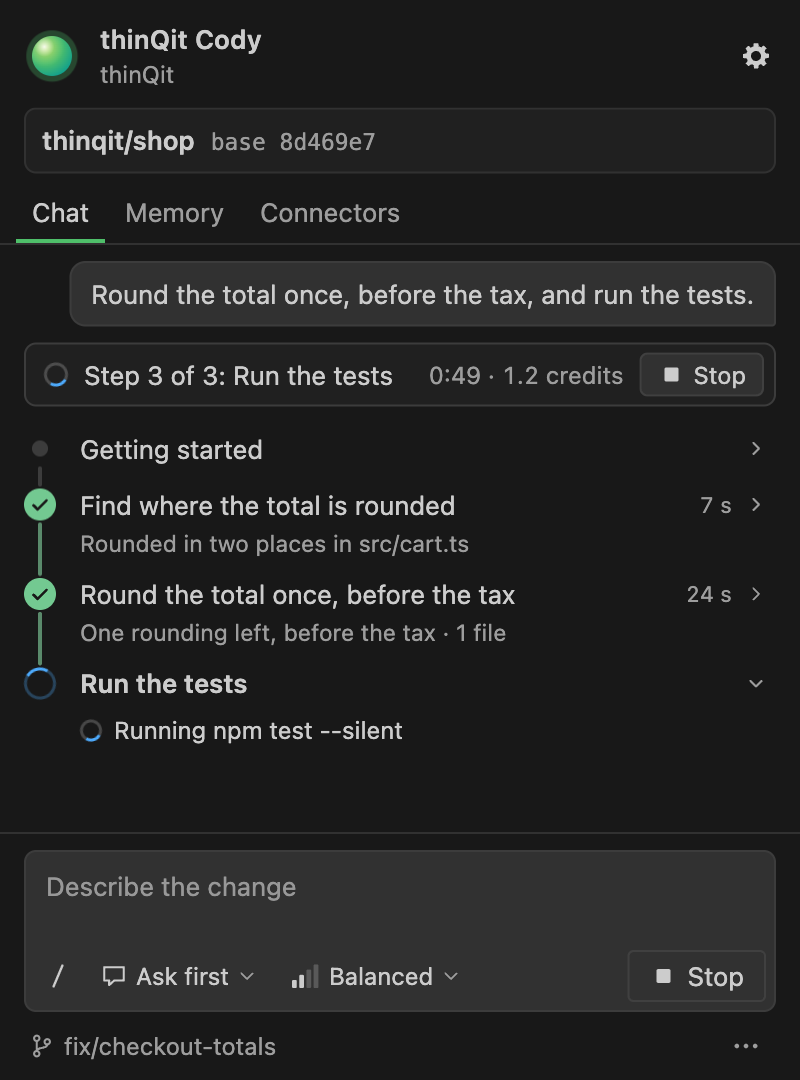
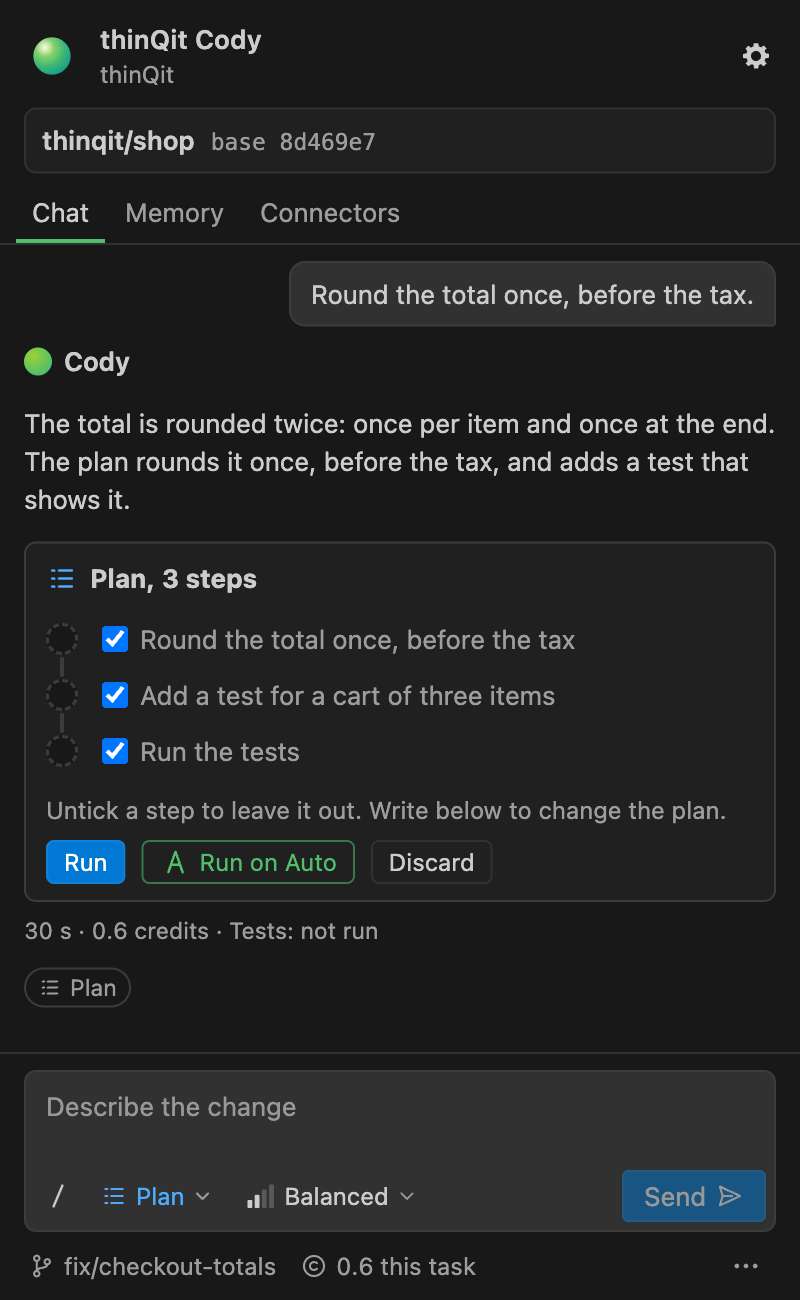
Cody maps your repository, plans the steps, writes the code and runs your tests. You get a pull request to review, in the browser or right inside VS Code.
Q-plans from €9.99 a month
Trusted by teams building with thinQit








AI teammates
Cody changes your code. Sophia, Sam, Robert and Riley take on SEO, social media, reporting and design.

Changes your web app from a plain description.

Gets your business found on Google and in AI answers.

Creates your social posts and publishes them.

Puts your ad platforms and analytics in one set of reports.

Turns your brand book and website into on-brand media.
Hover a teammate to see what they do.Tap a teammate to see what they do.
Install the thinQit Cody plugin, open your project and describe the change. Cody works on your branch and shows every step as it happens.
thinQitAI.thinqit-codyCodex builds a new website or web app. AI teammates keep the recurring work going after launch.
Website and web app builder
Describe the website or web app you need. Codex plans the pages, designs them and builds the result, ready to publish.
Explore Codex SophiaSEO & GEO
 SamSocial media
 RileyVisual designer
 RobertReporting
AI teammates
Specialists for the work that keeps coming back: search, social media, design and reporting.
Meet the teammatesStart with the part of product delivery that needs attention now, then connect the rest of the workflow when the team is ready.
Cody changes your code and hands you a pull request to review. Codex builds websites and web apps from a clear brief. AI teammates take on recurring work such as SEO, social media, design and reporting. You check each result against the agreed outcome before it goes live.
thinQit, explained
Direct answers for teams evaluating the thinQit delivery system.
thinQit is an AI delivery workspace that connects product planning, shared context, specialist work, and reviewable evidence from idea to launch.
Teams can hand code changes to Cody, build websites and web apps in Codex, and assign recurring work to AI teammates.
Sophia keeps product answers current by turning approved context into answer-ready content and verifying what is visible on the live site.
thinQit is an AI workspace for building and running digital products. Cody, the AI developer, changes your code and hands you a pull request. Codex builds websites and web apps. The AI teammates Sophia, Sam, Riley and Robert take on SEO and GEO, social media, visual design and reporting.
Codex builds a new website or web app from your brief. Cody is the AI developer for code you already have: it maps your repository, plans the change, writes the code, runs your tests and opens a pull request, in the browser or in VS Code.
Yes. Start with the job you need done now, such as a code change with Cody, a new site with Codex or a teammate for SEO, and add the others later in the same workspace. You can start free, without a credit card.
thinQit keeps AI delivery reviewable by preserving the task context, drafts, evidence and status updates around the work. Teams can set approval expectations for each workflow, so a production change can be checked against the agreed brief before it is accepted.
A useful starting brief identifies the users, the problem, the essential workflow, delivery constraints and the evidence needed for approval. Codex can turn that brief into a website or web app, and Cody can turn it into a code change in your repository.
thinQit helps a team turn an idea into a release by connecting a clear brief, shared project context, specialist AI work, review evidence and approval decisions. Teams can begin with one product surface and add the others as their delivery workflow needs them.
thinQit keeps the brief, decisions, source material and review findings in one workspace. Cody, Codex and the AI teammates work from that same approved context, while human reviewers check each result against the outcome and evidence already recorded.
Sophia turns approved thinQit product context into answer-ready summaries, FAQs, internal links and technical checks. Each content change is tied to the relevant Cody, Codex or AI teammate workflow, then read back from the live page after publishing. This keeps public product explanations specific, reviewable and aligned with the delivery system.